
Build Excel driven software and applications
Make Excel spreadsheets a part of your web, mobile, or server applications. Businesslogic helps you make your Excel models available for any software integration.
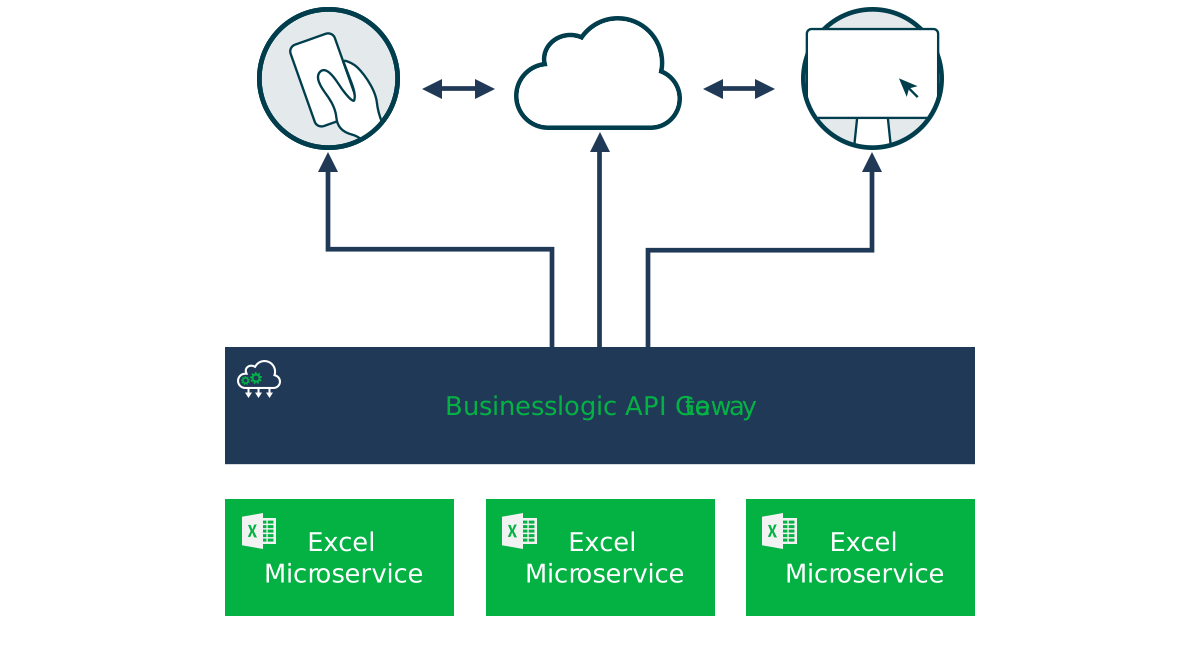
Here is a simple example in action
A single Excel file, exposed as a web service, powering a clean custom interface — your users get an app, never the spreadsheet behind it.

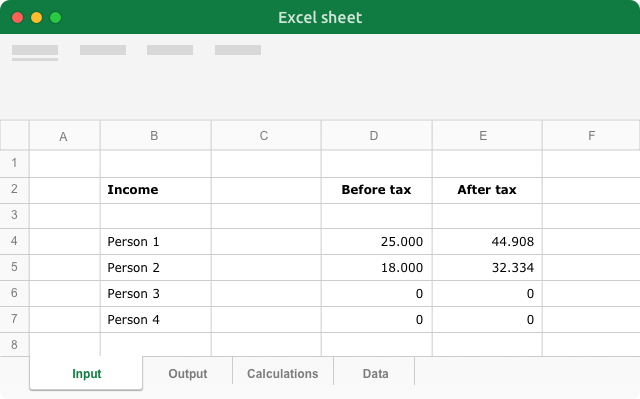
The same Excel file is exposed as a web service (API) and used to build a custom user interface — input on one side, your model's results on the other.
Create web forms out of the box, or build your own
We created a little JavaScript library that makes it a breath to publish your Excel computations as online calculators, configurators, interactive charts and more.
Calculators
Pricing, ROI, mortgage or eligibility calculators that compute with your real Excel logic.
Configurators
Let customers configure a product or quote and get an instant, accurate answer.
Interactive charts
Drive live, data-backed visualisations straight from the numbers in your workbook.
A live web form, auto-generated by the library from an Excel web service — try the slider and dropdown above. Browse more examples on JSFiddle.
How can Businesslogic help?
Businesslogic helps you eliminate time wasted in between development processes and cross unit collaboration

Faster development
Eliminate time wasted on studying and transferring logic from Excel into a programming language

Better collaboration
Make business units active participants in the development process by using their Excel spreadsheet models and skills. Meet on common grounds.

Easier maintenance
Save time on updating the code with new versions of Excel files. All it takes is a simple file upload and some testing before you have a new version of the web service online.

Can I use my Excel models in a web or mobile app?
Yes. Businesslogic exposes your Excel file as a web service (API), so your web, mobile, or server application can call it for live calculations without embedding the spreadsheet.
Do developers need to understand my Excel formulas?
No. Developers integrate against the web service's inputs and outputs only. The Excel logic stays hidden behind the API, so they can build on it without ever opening the workbook.
What is the JavaScript library for?
It makes it easy to publish your Excel computations as online calculators, configurators, interactive charts and custom web forms — either out of the box or built to your own design.
How do I keep the app in sync when the model changes?
You update the Excel file and re-publish; the API serves the new version. The application keeps calling the same endpoint, so there is no code change for every formula update.

Consult with your developer
Share information about Businesslogic in your organisation you can simply copy the following link or fill out the form and we'll send info on your behalf.

Are you looking for a custom solution or require help?
We are a strong team of experts behind Businesslogic and we are ready to deliver what you need. Let's have a talk.